
Notary Seal vs. Stamp: What's the Difference? (Utah)
Learn the difference between an official notary seal and a custom notary stamp in remote online notarization. See examples for Utah notaries.
Last updated June 26, 2026
Tags: Remote Online Notarization, Compliance
Notaries often use "seal" and "stamp" interchangeably, but in NotaryCentral we standardize those terms to mean two distinct things. Understanding the difference helps you get the most out of the app.
Official notary seal
In NotaryCentral, the seal refers to your official notarial insignia required by state law for a compliant notarization. In remote online notarization (RON), it is the electronic image or data attached to or logically associated with the notarial certificate that identifies the notary's office, commission, jurisdiction, and commission expiration date.
State laws consistently require the seal to be:
- Unique to the notary
- Under the notary's sole or exclusive control
- Attached or logically associated with the electronic notarial certificate
- Independently verifiable and tamper-evident
The seal is what tells a reader that a commissioned notary performed the notarial act. Without it, the notarization may not be compliant.
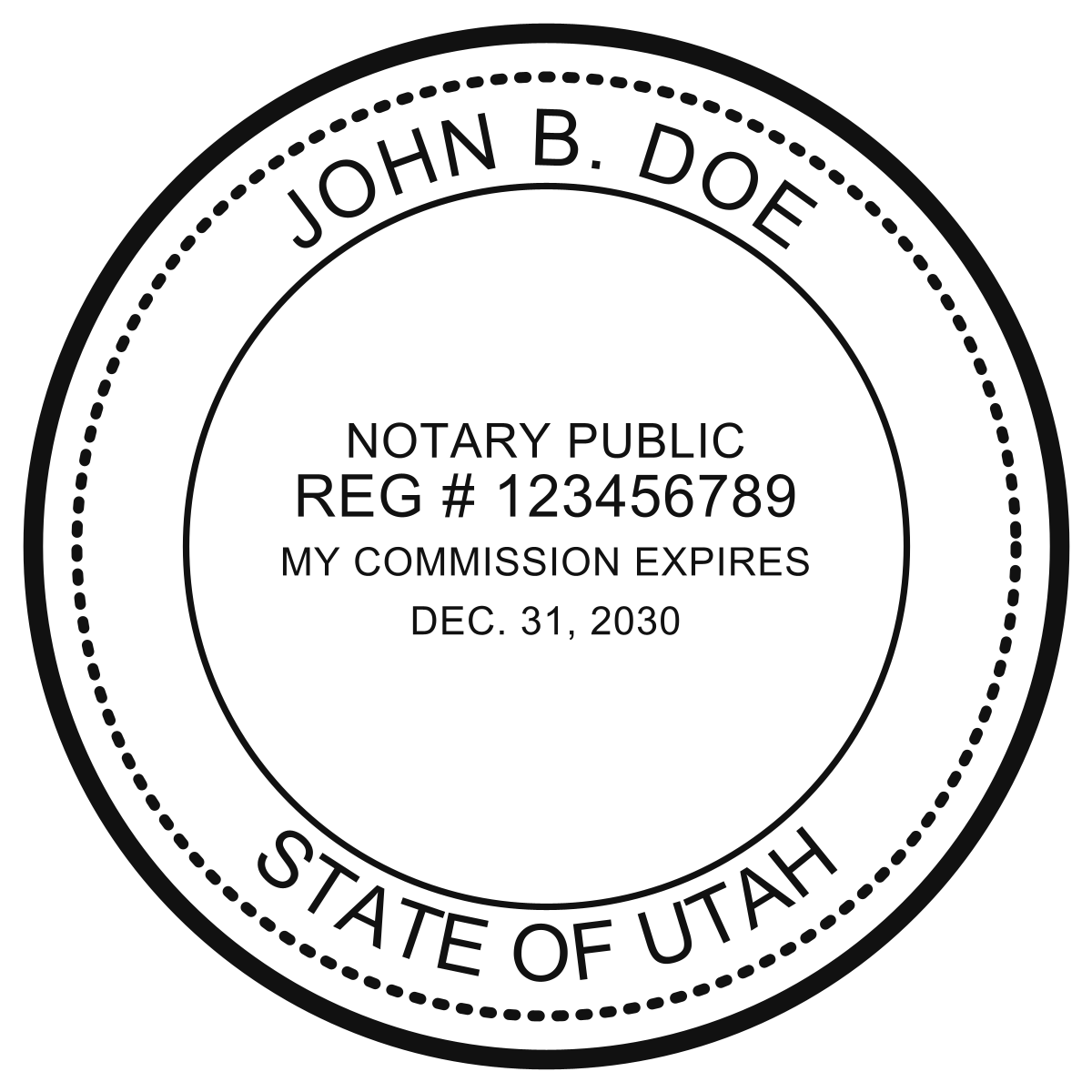
Official UT Electronic Notary Seal
Custom notary stamp
In NotaryCentral, a stamp is custom text converted to an image that you add to documents alongside or near the seal. It is separate from your official seal. It typically includes helpful contact information such as your email address, phone number, website, or any other text you choose.
The stamp is not required by state notary law in the way the seal is. Its purpose is practical: it gives auditors, title companies, or anyone reviewing the document a direct way to reach you with questions or follow-up requests.
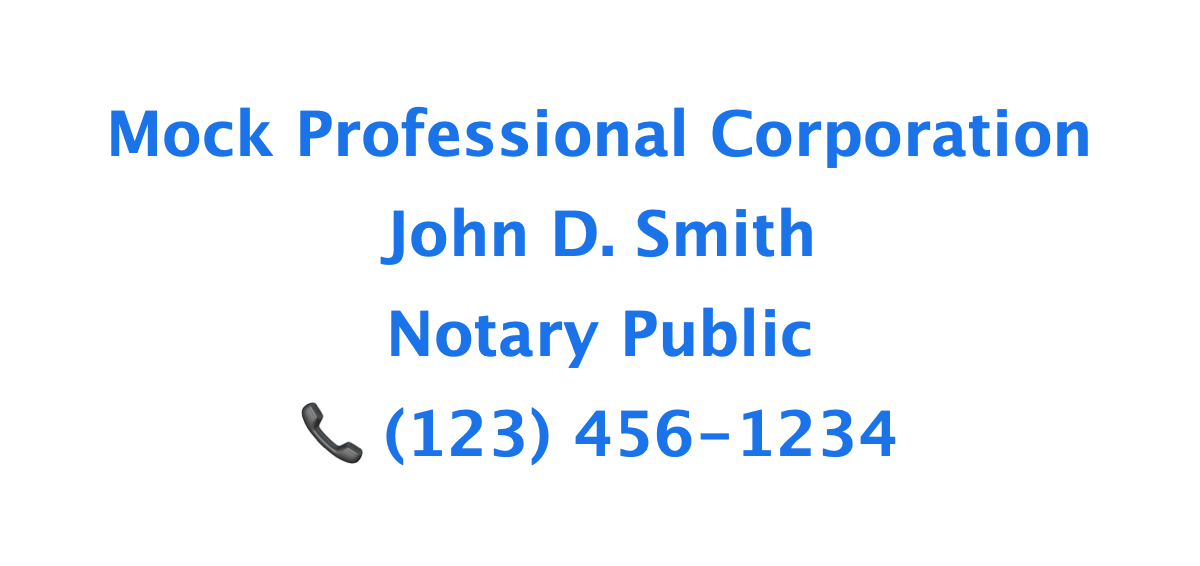
Digital Notary Stamp Example
Key differences at a glance
| Official seal (in NotaryCentral) | Custom stamp (in NotaryCentral) | |
|---|---|---|
| Required for compliance? | Yes | No |
| Content | Notary name, jurisdiction, commission expiration, and state-required identifiers | Custom text of your choice (email, phone, etc.) |
| Purpose | Authenticates the notarial act | Provides contact information |
| Regulation | Heavily regulated by state statute | Unregulated; purely optional |
| Control | Must be under notary's sole control, tamper-evident | No statutory control requirements |
How they work together in practice
In a typical RON session, when you complete a notarization, NotaryCentral applies your official electronic seal to the notarial certificate as required by state law. That seal confirms your commission details and is bound to the document in a tamper-evident way.
If you have configured a custom stamp, you can also apply it to the document so recipients see your contact details right on the page. This can reduce follow-up calls and help auditors or downstream parties reach you quickly if they need to verify something about the notarization.
Get your seal and stamp
You can issue both your official notary seal and a custom stamp directly in NotaryCentral. The seal is auto-generated from your notary profile with state-specific formatting. The stamp lets you add any text you want—phone number, email, business name, or social links.
Get started at Digital Setup or learn more at Digital Notary Certificates, Seal & Stamp.