
Let the appointment's date and start time determine whether a same-day, evening, or weekend charge belongs in the booking quote.
For worked examples, see Charge $40 for Weekend Appointments, including holiday replacement, and Set Evening Service to Start at 6 PM, including the renamed rule and exact cutoff.
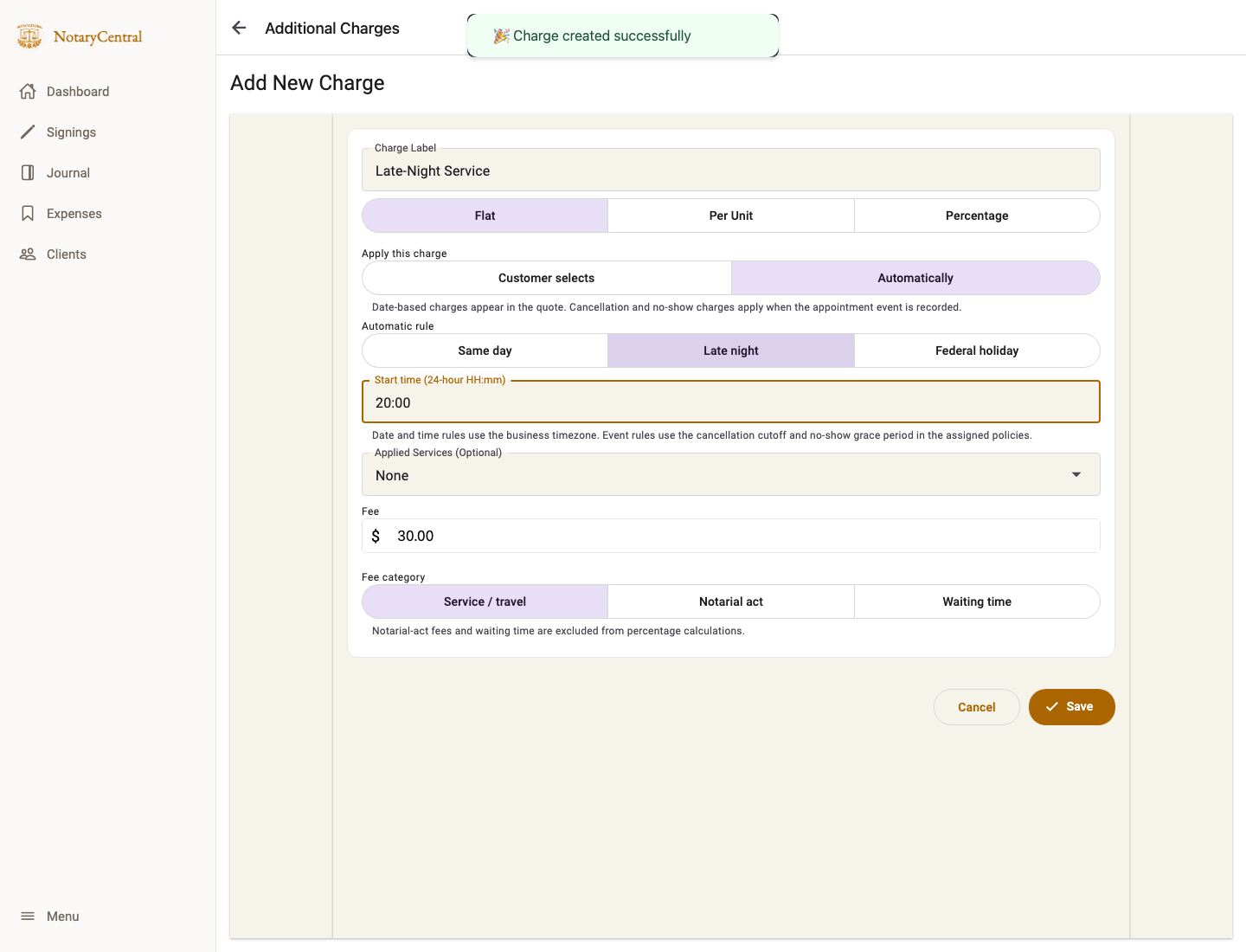
Set up an automatic date or time charge
- Open Additional Charges.
- Add a charge with a customer-friendly label. Select Flat for a fixed dollar fee or Percentage for a rate on the eligible base.
- Under Apply this charge, select Automatically.
- Choose Same day, Evening / After Hours, or Weekend.
- For Evening / After Hours, enter Start time (24-hour HH:mm), such as 18:00 for 6 PM. The default remains 20:00 for existing configurations.
- Assign the charge to applicable services and save.
Understand same-day pricing
Same day means the appointment's calendar date equals today's calendar date in the business timezone at the time of booking. It does not mean “within the next 24 hours.” A next-day appointment can be only a few hours away and still not match Same day.
Understand the evening boundary
Evening / After Hours matches appointment start times at or after the configured time. With an 18:00 cutoff, 17:59 does not match and 18:00 does. The rule uses the start time, not when the appointment ends.
It is a daily threshold from the cutoff through the end of that day. A 00:30 appointment does not match an 18:00 cutoff; this rule does not define an overnight range across midnight.
Set a $40 weekend charge
Create a Flat charge named “Weekend Service,” enter $40, choose Automatically → Weekend, and assign it to the applicable services. It applies once per appointment starting on Saturday or Sunday in the business timezone, regardless of when the booking was made or its duration.
When a linked holiday rule also matches, the holiday charge replaces the weekend charge. An evening or same-day charge can still apply alongside it. For an $80 base with $40 weekend, $35 holiday, and $30 evening charges: an ordinary weekend appointment totals $120; an evening holiday on a weekend totals $145 ($80 + $35 + $30), with no $40 weekend line.
Check the quote and timezone
All date and time rules use the business timezone, not the customer's device timezone. Review your timezone before testing. Choose a date and time on the public booking form and check the updated itemized quote before scheduling.
Matching charges can apply together, except that a holiday charge replaces an overlapping weekend charge. For example, an $80 eligible base with $20 same-day and $30 evening flat fees totals $130 before any other charges. Percentage charges use the shared eligible base, excluding other percentage charges, notarial-act fees, and waiting time.
Automatic charges are not optional customer checkboxes. Changing the appointment date or time recalculates the matching rules. These charges affect pricing; they do not change availability or close your calendar.
For holiday pricing, see Federal Holiday Charges and Observance. For deferred appointment-event rates, see Percentage Additional Charges.